



Share “My Fibank” with a friend and earn a reward for both of you.

If you are already a “My Fibank” customer, you can easily invite your friends using your personal referral link available in the app. For every successful registration and completion of the campaign requirements, both you and your invited friend will receive a €20 reward.

How does it work?

    1. Log in to My Fibank and generate your personal referral link.
    2. Send the invitation link to a friend.
    3. Your friend must register for My Fibank through your referral link.
    4. After successful registration, your friend must request debit card and  make at least one POS payment of minimum €5
    Once all campaign requirements have been verified, the rewards will be credited automatically to both participants’ accounts within 24 hours of validation.

What do you get?

  • €20 for you as the referring customer. A referring customer can receive up to 10 rewards throughout the campaign.
  • €20 for your friend as a new My Fibank customer.

Start today - open My Fibank, generate your personal referral link, and invite your friends. The more successful referrals you make, the more rewards you can earn during the campaign period.

Campaign period & rules: The campaign runs from September 15, 2026, to October 31, 2026.

The complete campaign rules are available here.

Promo: Invite Friends to “My Fibank” app and earn upto €200

Become a Fibank client: now entirely online – using the My Fibank app!

Take advantage of our plans with banking products and services that make it easier for you to carry out your daily banking transactions. Apply entirely online through the My Fibank mobile app.

  • Download the My Fibank mobile app: from QR CODE

As a My Fibank client, you gain access to a wide range of services, to name a few:

  • Request a debit card linked to an existing account or a brand-new account – for individual clients.
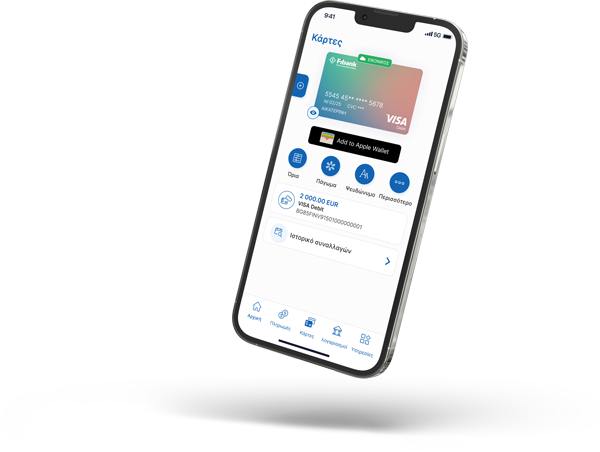
  • Freeze/Unfreeze a card – by selecting this option, one’s card will be temporarily disabled for payments. They can reactivate it anytime they wish.
  • Block a card – this operation will permanently block one’s card with no option for reactivation. It is used mainly in cases of lost or stolen cards. 
  • Add banking cards to Apple Wallet and Google Pay – for fast, contactless payments.
  • Easy card management – One can set and modify transaction limits for their cards directly. Changes take effect within minutes.
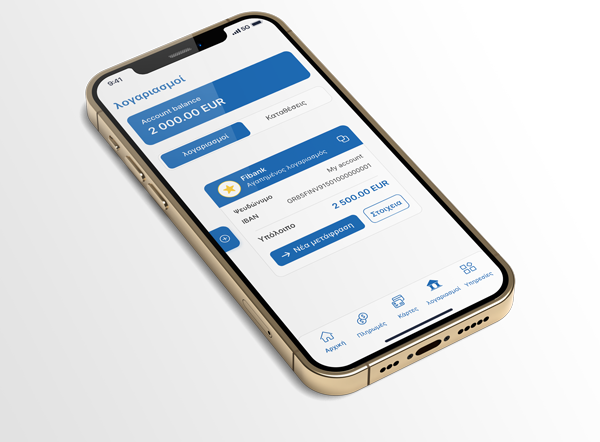
  • Options for transfers within the EEA or outside the EEA with just one click. For faster and more convenient banking, one can use templates and payment history.
  • Complete and detailed account reports – check balances and transaction history: at any time.
  • Deposit detailed information – the app allows one to view the interest accrued so far as well as check the maturity date.
  • Exchange rates information – check Fibank’s buy and sell rates for all currencies the bank works with.

We haven’t forgotten our Customers’ security either
  • Biometric authentication – fingerprint or face recognition (iOS only) as login and identity verification methods.
  • Set the session duration in the app. It is not recommended to use excessively long sessions.
Payment Operation Limits:
  • Limit levels for individuals making payment orders via My Fibank app
Supported Operating Systems:
  • The app is available for iOS and Android, with minimum version requirements as specified by the developers (the Bank).